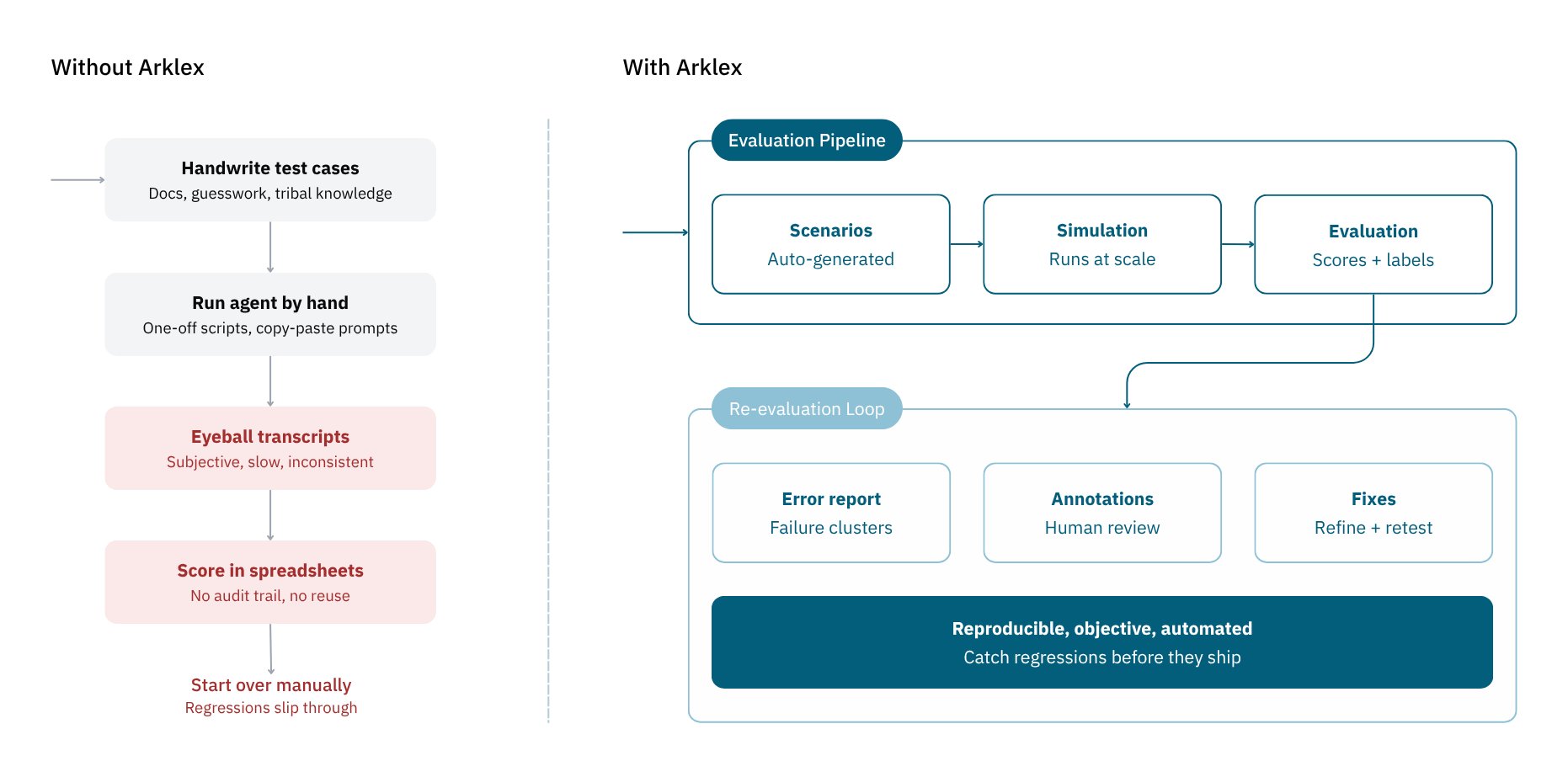
- Scenarios define who your simulated users are, what they want, and what they know.
- Simulations run those scenarios against a connected agent, producing full multi-turn conversation transcripts.
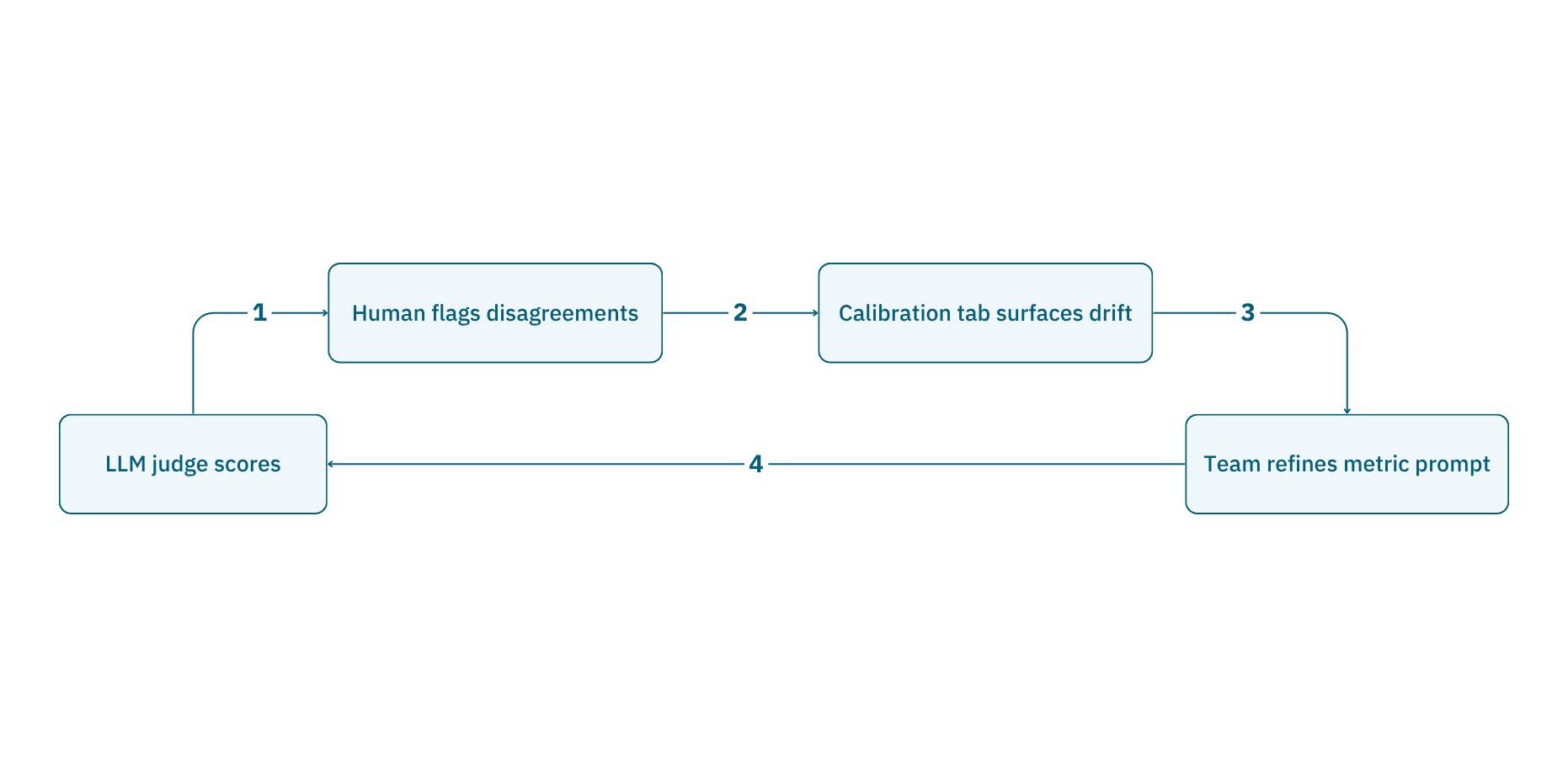
- Evaluations score those transcripts with quantitative and qualitative metrics and surface behavioral failures. Teams can add custom metrics for domain-specific behaviors, and use annotations to correct any judge scores they disagree with — feeding a calibration loop that brings automated scoring closer to human judgment over time.
Quick Start
Connect your first agent and run a simulation in minutes.
See Examples
See Arklex in action across different chat agents.
Who is it for?
Arklex is built for teams that build and operate AI agents:- AI engineers who want to catch regressions before deploying a new agent version.
- QA teams who want structured, repeatable test coverage across the full range of user intents.
- Product teams who want a clear view of how well their agent serves users in realistic conditions.
Common use cases
- Pre-release regression testing: run a fixed set of scenarios against each new agent version and catch behavioral regressions before they reach users.
- Prompt and model comparison: A/B test different prompts, models, or configurations against the same scenarios to see which performs best.
- Establishing a quality baseline: use annotations to correct scores you disagree with and bring automated evaluation in line with your team’s standards over time.
- Edge-case and adversarial coverage: simulate difficult users, off-topic requests, and jailbreak attempts to find where your agent breaks down before real users do.
Why Arklex Platform?
Any agent, any framework
Connect agents built with LangChain, CrewAI, the OpenAI Agents SDK, or custom code through a standard Chat Completions or A2A endpoint. No SDK to install.Realistic, multi-turn testing
Simulations play out as full conversations, not single-turn probes. Each simulated user follows a persona and goal across multiple turns, producing realistic transcripts.LLM-judged evaluation
An LLM judge scores conversations on built-in and custom metrics, at both the conversation and metric level — so you can compare runs, track regressions, and prioritize fixes.Custom metrics for domain-specific behaviors
Seven built-in metrics cover general quality, but every product has behaviors no generic rubric captures. Define your own in plain language and the judge applies it from the next evaluation on. Custom metrics are versioned, reusable, and mix freely with built-ins.Human-in-the-loop calibration
Dispute a judge score and reviewers can add their own in the Annotations tab without overwriting it. The Calibration tab then shows agreement rates per metric, surfaces common disagreements, and links to each disputed turn — the evidence teams need to refine a prompt and close the gap with human judgment.